I Had 47 Sticky Notes on My Wall. Then Mica Built a Kennel Tracker in 30 Seconds.

I Had 47 Sticky Notes on My Wall. Then Mica Built a Kennel Tracker in 30 Seconds.
Let me tell you about the day after Christmas last year. It was the moment I realized my kennel was running on hope, not a system.
I run Mountain View Pet Lodge, a 24-run boarding kennel located 15 minutes from Denver International Airport. Our business is built around travelers who need a safe place for their dogs while they fly out for holidays, business trips, and family visits. December 26th is the single busiest day of the year for us. Holiday travelers are returning. New reservations are flooding in. And you are trying to figure out if Kate's Labradoodle is in Run 12 or if that is Mark's Beagle, because someone wrote the names on sticky notes that are now peeling off the whiteboard.
The System That Was Not a System
When I opened Mountain View Pet Lodge two years ago, I was determined to keep things simple. I bought a large whiteboard, drew a diagram of the 24 kennels, and used magnetic name tags to track occupancy. Each dog got a tag. Green tag meant the dog was checked in. Red tag meant they were due to check out. Moving magnets around the board felt efficient and tactile. For about 15 dogs, it worked fine.
As we grew toward full capacity, the cracks appeared. By the time we were routinely boarding 20 to 24 dogs, the whiteboard had become a liability. Name tags fell off when someone brushed against the board. A staff member would erase a name to write something and accidentally wipe out the dog next to it. On busy mornings, three people would crowd around the board trying to figure out which kennels were available, and they would come to different conclusions.
On that December 26th, I had three simultaneous failures:
-
A returning customer, Maria, arrived to pick up her Labrador. The check-out sheet showed the dog had already been picked up by someone else — but that was wrong. A name tag had been accidentally moved when someone adjusted the board. Maria was understandably upset.
-
A new customer, James, showed up with his Bernese Mountain Dog for a reservation that was not on the board. A sticky note with his booking had fallen off overnight and been swept up by the cleaning crew. James had a confirmed email, but we had no record on the wall. We scrambled to find an open kennel.
-
I turned down a late booking because I thought we were completely full. The board showed every run as occupied. But when I did a physical walk-through after the rush, I discovered that two kennels had been empty since Christmas Eve. I had said no to $240 in revenue because my occupancy board was wrong.
That evening, after the last guest was settled and the kennels were quiet, I sat down with my laptop. I was done with sticky notes and magnets. I did not want a $5,000 boarding management system with a multi-year contract. I did not want to learn database software. I wanted something that worked the way my kennel works. I opened Mica and typed: "Build me a kennel occupancy tracker."
What Mica Built in 30 Seconds
The system appeared within a minute. It had three sheets designed specifically for a boarding facility. I have refined it over time, but the core structure has not changed since that first night.
Sheet One — Occupancy Dashboard
A visual layout of all 24 kennels presented in a grid that mirrors the physical layout of our building. Each kennel is a cell, and the color tells the story:
- Green: Available and ready for check-in
- Yellow: Reserved for an upcoming booking (not yet occupied)
- Orange: Occupied by a checked-in guest
- Red: Overdue check-out (the pet should have been picked up)
Each cell displays the dog's name, breed, owner contact number, check-in date, and expected check-out date. At a single glance, I can see exactly what is happening in my facility. I no longer need to walk the kennel row to know our occupancy status.
Sheet Two — Reservation Calendar
A chronological view of every upcoming and active booking. This is where new reservations get entered. The sheet does several things automatically:
- Blocks out dates when we reach capacity. If someone calls to book a stay during a weekend that is already full, I can see the block before I even check availability.
- Calculates length of stay automatically. Enter the check-in and check-out dates, and the sheet computes the number of nights.
- Assigns kennel location based on dog size and temperament. Large-breed dogs that do not get along with neighbors are assigned to end runs. Small and senior dogs go to quieter sections. The system flags potential conflicts, like two reactive dogs scheduled in adjacent runs.
- Shows total revenue per booking. Every reservation row includes the price, so I can see projected revenue for any date range.
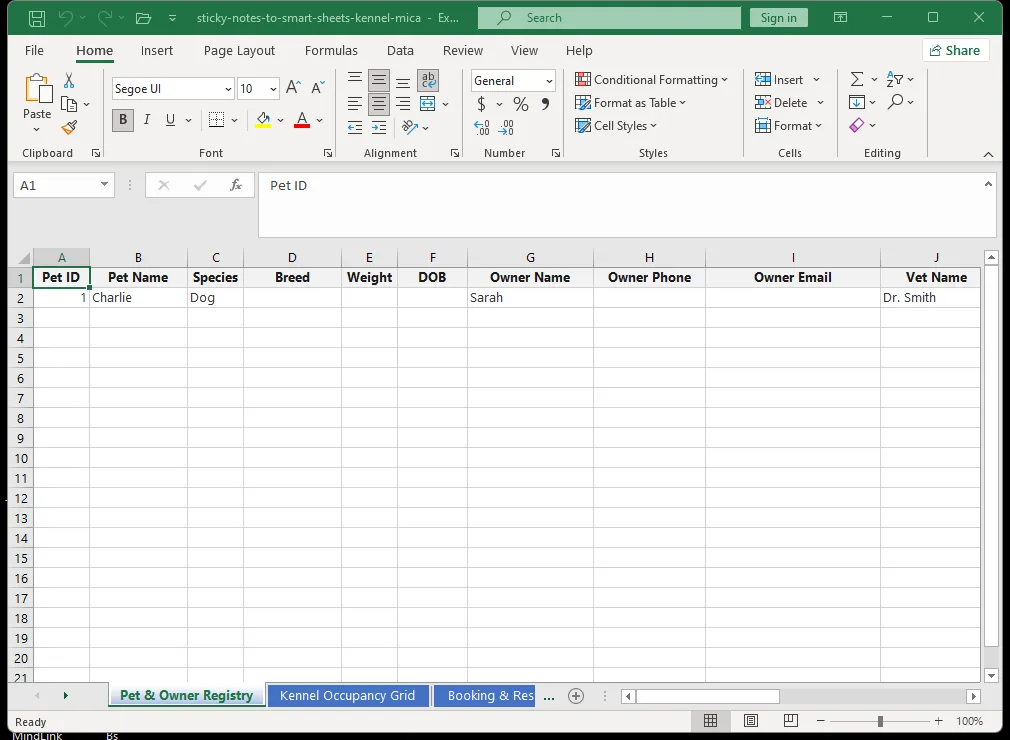
Sheet Three — Customer and Pet Records
Every pet that has ever stayed with us has a record in this sheet. Name, breed, age, weight, spay/neuter status, vaccination records, feeding instructions, medication needs, behavioral notes, emergency contact, and veterinary information. When a returning customer calls, I pull up their file and everything I need is right there. No digging through paper files. No asking the customer the same questions every time.
How the System Changed Our Day-to-Day Operations
The transition from sticky notes to Mica changed every part of how we run the kennel. Here is what a typical day looks like now.
Morning Rounds
At 8:00 AM, I open the occupancy dashboard on a tablet that stays mounted near the kennel entrance. The overdue list is the first thing I check. Any pet that was supposed to be picked up yesterday shows up in red. I make those calls first. In the old system, an overdue pet might not be noticed until midday, when staff finally cross-referenced the board with the booking log.
Check-In Process
When a new guest arrives, I enter them into the reservation calendar on the tablet. The system automatically assigns their kennel based on current availability and the notes we have about the pet's size and temperament. Feeding instructions, medication schedules, and behavioral notes all get logged before the pet goes to their run. In the past, we would scribble instructions on a sticky note and hope the evening staff saw it.
Midday Checks
Throughout the day, I glance at the capacity bar at the top of the dashboard. It shows our current occupancy, tomorrow's expected occupancy, and next weekend's projected occupancy in a single visual. No math required. No walking the kennel row to count heads.
End of Day
At 7:00 PM, I close the sheet. A final check confirms that all evening medications were logged, all feeding notes were updated, and tomorrow's check-in list is ready. I close the laptop knowing that the kennel is under control. No sticky notes to double-check. No magnets to rearrange. No sinking feeling that something has been forgotten.
The Numbers After Six Months
After six months of using the Mica system, the results speak for themselves:
Measurable Improvements
- Time spent on occupancy management: Dropped from 5 hours per day across all staff members to approximately 45 minutes total. The dashboard eliminated the daily walk-through counts and the cross-referencing between the whiteboard and the booking log.
- Booking errors: Went from 3 to 4 per week to zero. We have not had a single instance of a dog being placed in the wrong kennel or a reservation being lost since the system went live.
- Overbooked nights: Dropped from 2 per month to zero. The capacity blocking feature prevents us from accepting reservations we cannot fulfill.
- Customer complaints: Down significantly. Nobody gets surprised at check-in anymore. Nobody is told their reservation does not exist.
- Revenue increase: The most surprising number. Because we can now see exactly what is available at any moment, we fill last-minute cancellations and gap days that used to go unnoticed. This added approximately $1,800 per month in previously lost revenue. That is $21,600 annually, from a system that cost nothing to build.
Intangible Benefits
The financial numbers only tell part of the story. The system also improved my staff's quality of life. In the old system, the person opening the kennel in the morning would find notes left by the closing staff from the night before. Sometimes the notes were clear. Sometimes they were not. The shared dashboard eliminated the handoff problem. Everyone sees the same information at the same time.
Why This Approach Works for Any Boarding Facility
Whether you run a 10-run home-based boarding service or a 100-run commercial facility, the same approach applies. Pre-built boarding software is expensive and often forces you to adapt your workflow to the software's assumptions. A Mica-generated spreadsheet adapts to you.
The system lives on your local machine. If the internet goes down, you still have your occupancy board. Customer data never leaves your computer. You are not paying a monthly subscription fee. When your business changes, you change the spreadsheet with a sentence. You are never locked into a vendor's roadmap.