The Night Inventory Almost Killed Us — How Mica Saved Our Dinner Service

The Night Inventory Almost Killed Us — How Mica Saved Our Dinner Service
It was a Saturday night in late July, and we were in trouble.
I manage The Garrison, a 60-seat farm-to-table restaurant in Boulder, Colorado. Saturday is our busiest night. We typically run 120 to 150 covers between 5 PM and 10 PM. On this particular Saturday, we hit the 6 PM rush and everything fell apart.
The line cook called out that we were out of the grilled chicken breast — a top-three selling entree. Not just low. Out. Completely. The server had to tell the next six tables that the chicken was unavailable. Then the fryer station ran out of the herb aioli that goes with the fish and chips. Then the prep cook discovered we had only four portions of the braised short rib left. It was 6:30 PM on a Saturday, and we were already running out of food.
The root cause was not a supplier issue. It was not a delivery problem. It was an inventory management failure. I had not checked the par levels before the weekend. I had not updated the order sheet after a busier-than-expected Thursday and Friday. The numbers in my head did not match the reality in the walk-in cooler.
That night, we turned away an estimated $1,800 in revenue from the chicken alone. The aioli shortage slowed down the fry station and increased ticket times by 12 minutes. The short rib running out disappointed a table of regulars who had driven across town specifically for that dish. And I stood in the kitchen with a sinking feeling, knowing that this was entirely preventable.
After that night, I built an inventory system with Mica that would never let it happen again.
The Problem — Why Restaurants Run Out of Food
Running out of a menu item during service is not a supplier problem. It is not a kitchen problem. It is an information problem. Someone did not know, at the right time, that a particular ingredient was running low.
The Information Gap
Before Mica, our inventory system consisted of a binder with printed par level sheets. Every Sunday, the prep team would count the walk-in and write down what they had. They would compare the counts to the par levels — the minimum amount we should always have on hand — and generate an order. The system worked in theory. In practice, it broke down for several reasons:
The data was always stale. The Sunday count captured inventory at 9 AM on Sunday. But a busy Friday and Saturday could deplete stock significantly. The Sunday morning count did not always reflect the heightened usage pattern from the weekend. We would order for a normal week and run out during peak days.
Par levels were set once and forgotten. The par levels in the binder had been written a year ago. In that year, the menu had changed, portion sizes had been adjusted, and the popularity of certain dishes had shifted. The grilled chicken breast, for example, had become our second-most popular entree, but its par level was still set at the original quantity from when it was a minor menu item.
Verbal handoffs were unreliable. The closing line cook would tell the morning prep cook, "We're getting low on salmon," but that message would get lost in the handoff. By the time someone acted on it, the next delivery was two days away.
Weekend spikes were not anticipated. Our Thursday and Friday covers had increased 15 percent year over year, but nobody had updated the ordering pattern. The system assumed the same usage every week, but the reality was that we needed 30 percent more inventory for Thursday-through-Saturday service than for Monday-through-Wednesday.
The Turning Point — Building a Real-time Inventory System
After the Saturday disaster, I sat down with my laptop and decided to fix the problem permanently. I did not want expensive restaurant management software. I did not want a cloud subscription. I wanted a system that tracked what we had, what we needed, and what was coming — all in one place.
I opened Mica and typed:
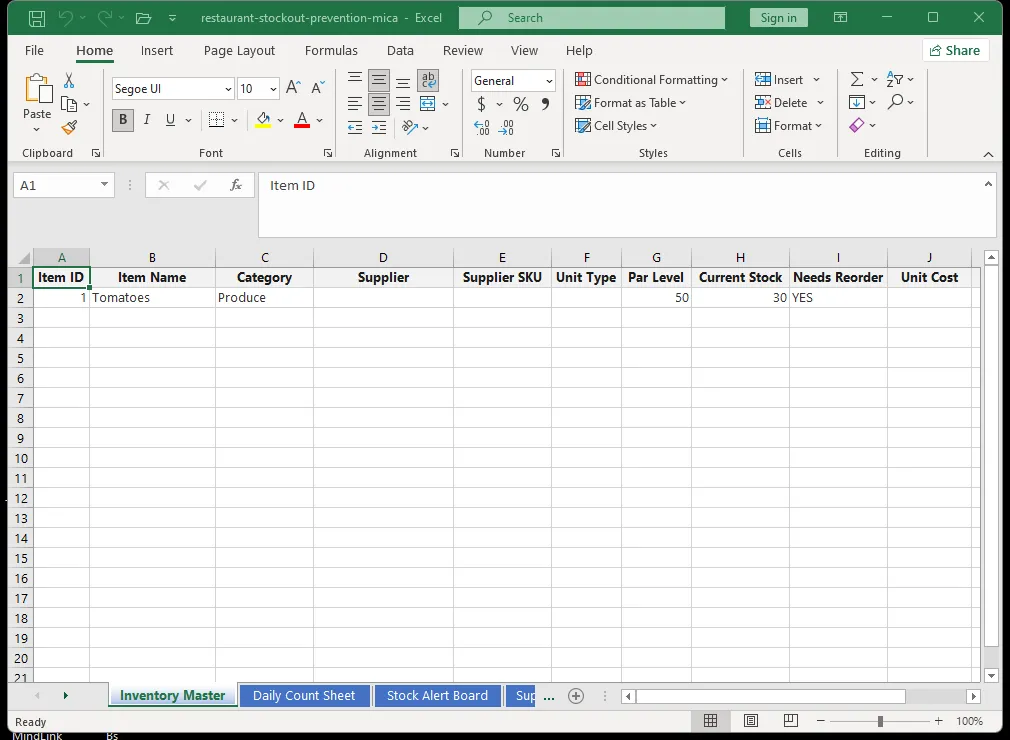
"Build a restaurant kitchen inventory system with three sheets. Sheet one: master inventory list with columns for ingredient name, category (produce, protein, dairy, dry goods, etc.), unit of measure, current stock, par level (minimum stock), reorder point, and primary supplier. Sheet two: daily usage log where the kitchen can record what they use each day, grouped by ingredient. Sheet three: automated order sheet that lists everything below its par level and calculates the quantity to order. Use conditional formatting: red for items below par level, yellow for items at or near par level, green for well-stocked items."
Mica built the complete system in about 30 seconds. The sample data showed me how to use each sheet. I spent the next 45 minutes entering my actual inventory data, and by the end of that evening, the system was live.
Sheet One — Master Inventory List
Every ingredient in the walk-in, the dry storage, and the freezer is listed in this sheet. The columns are straightforward: what it is, what category it falls into, what unit we measure it in (pounds, gallons, cases, each), how much we currently have, the minimum we want to have on hand (par level), the point at which we need to reorder, and who supplies it.
The conditional formatting is what makes it actionable. When I open the sheet, I see a sea of green rows — meaning we are well-stocked. Yellow rows mean we are approaching the reorder point. Red rows mean we are below par and need to order now. On any given day, I can glance at the sheet and know the state of my kitchen in under 10 seconds.
Sheet Two — Daily Usage Log
This was the game-changer. Instead of a weekly count on Sunday morning, we started tracking usage daily. The process is simple: as the kitchen goes through the day, the prep team updates the usage log. At the end of service, the sheet shows exactly how much of each ingredient was consumed.
The daily usage data did two things. First, it kept the inventory sheet up to date in near-real-time. When I checked the master sheet on Friday afternoon, it reflected what had been used on Thursday, not what was counted on Sunday. Second, the usage log started generating trend data. After a few weeks, I could see that we used 50 percent more chicken on Fridays than on Tuesdays. I adjusted my par levels accordingly.
Sheet Three — Automated Order Sheet
The order sheet is the output of the system. It looks at the master inventory, identifies every ingredient below its par level, and calculates how much to order to bring it back to a target level. The calculation accounts for the delivery lead time — if a supplier delivers in two days, the reorder quantity considers the expected usage during those two days.
On ordering days, I open the sheet, review the suggested quantities, adjust if I know about a special event or holiday that might increase usage, and send the order. What used to be a 45-minute manual process of checking every ingredient and calculating quantities now takes 10 minutes.
How the System Changed Our Operations
The impact was immediate and sustained. Here is what changed in the first three months.
Eliminated Stockouts
We have not run out of a menu item during service since implementing the system. Not once in over 90 days of service. The red-flag alerts catch potential stockouts 2 to 3 days before they would happen, giving us time to place an emergency order or adjust the menu.
Reduced Kitchen Stress
The constant anxiety of "are we going to run out?" disappeared. The line cooks no longer had to check the walk-in every hour to see if there was enough salmon for the evening. They could trust the inventory sheet. Morale improved noticeably during service.
Better Supplier Negotiations
The usage log gave me data I had never had before. When a supplier wanted to raise prices, I could show them exactly how much of their product we bought over the past six months. I could negotiate from a position of knowledge. I consolidated two suppliers into one after the usage data showed we were paying 8 percent more for the same product from the secondary supplier. That saved $320 per month.
Reduced Waste
The par level system did not just prevent stockouts. It also reduced over-ordering. Before Mica, we would order extra of certain ingredients to avoid running out — a safety buffer that we did not always use. The safety buffer regularly turned into spoiled food that went into the compost. The par level system eliminated the guesswork, and our monthly waste costs dropped from approximately $1,400 to $780.
The Numbers That Matter
After six months with the Mica inventory system:
| Metric | Before Mica | After Mica | Change |
|---|---|---|---|
| Stockout incidents per month | 3 to 5 | Zero | 100 percent reduction |
| Weekly inventory time | 5 hours | 1.5 hours | 70 percent reduction |
| Monthly waste/spoilage cost | $1,400 | $780 | 44 percent reduction |
| Emergency supplier orders per month | 4 to 6 | 0 to 1 | 80 percent reduction |
| Lost revenue from stockouts | $1,800 (that one night) | Zero | 100 percent elimination |
The total quantifiable benefit: approximately $2,400 per month in reduced waste, fewer emergency orders, and recovered revenue that would have been lost to stockouts. Annualized, that is nearly $29,000. The system cost nothing to build.
How to Build Your Own Restaurant Inventory System
You do not need to be a spreadsheet expert to replicate this. Open Mica and describe your kitchen's needs:
"Create a restaurant kitchen inventory management system. Include a master inventory sheet with par levels and reorder points for each ingredient. Add a daily usage log to track consumption by shift. Create an automated order sheet that lists everything below its par level. Use color coding to show stock status at a glance."
Mica will build the system in under a minute. Enter your current inventory data, and the system is live immediately. Your data stays on your own computer. No subscriptions. No training. No more running out of chicken on a Saturday night.
Related Articles
Your data stays local. Your templates build themselves.
Install Mica