An AI-built Excel model can look finished and still not tie out
An Excel model audit is six checks run on the finished workbook: identities that must hold in every period, formulas that match across periods, constraints the optimizer must satisfy, two methods that must agree, sensitivities that move the right way, and behavior that is known rather than scored as an error. This page runs them on one workbook: 99 checks, all passing.
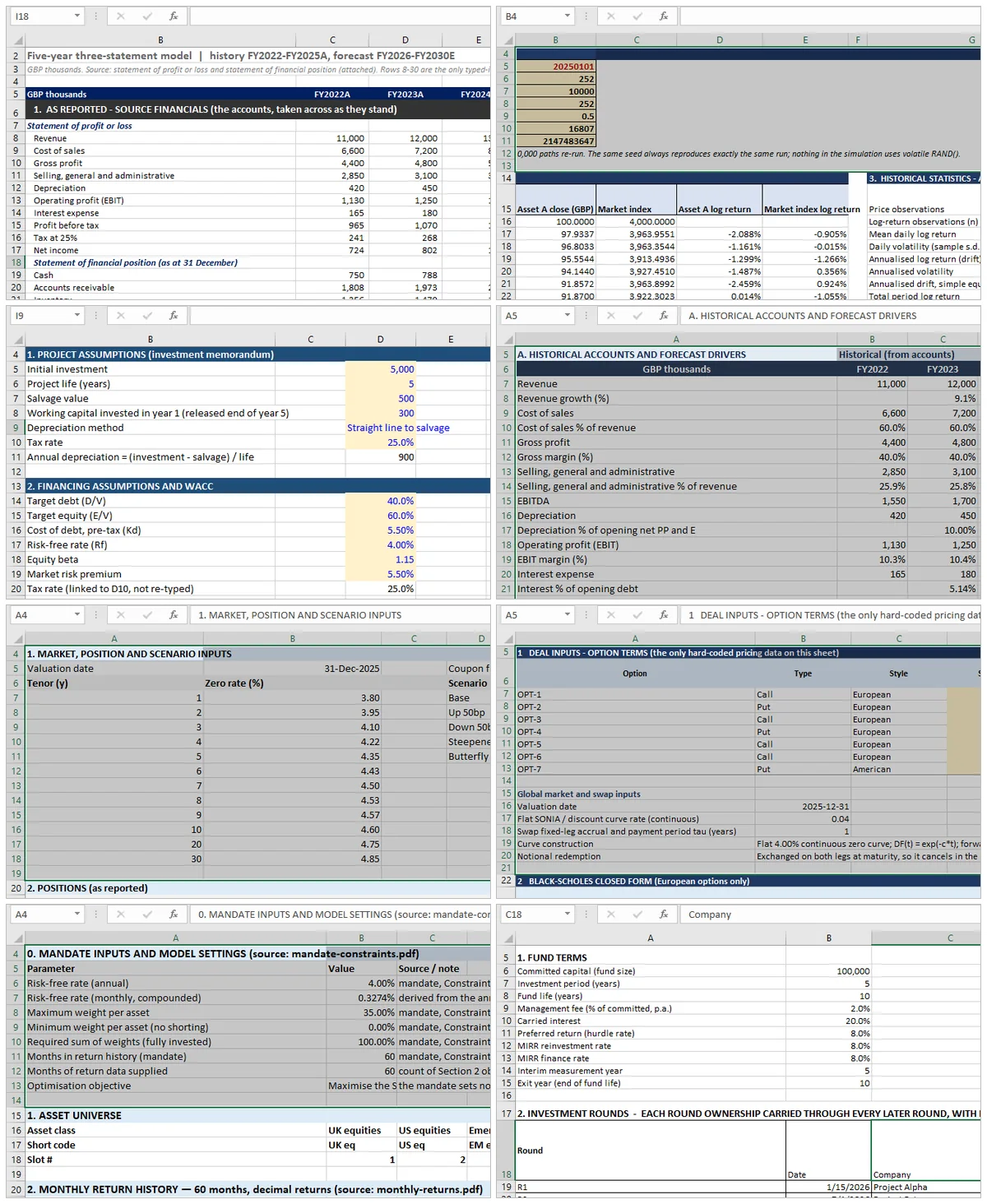
How the cases in this series work. Each of the eight topics is a separate synthetic case: a company with four years of accounts, a one-page project memo, a term-sheet image, a seven-bond position, a price series, a six-asset portfolio and a ten-year fund. Each was built inside Excel from its source document and then checked against itself. The companies, funds and portfolios are constructed; no real client file is used, and no external market price validates the output. The checks test whether the finished workbook is internally consistent, not whether its inputs are right. These are synthetic cases for method demonstration; nothing here is investment, tax or legal advice.
An AI-built model usually opens cleanly. The formatting is right, the tabs are named, the formulas are there, and nothing shows an error. Then you change one assumption and watch the balance sheet stop balancing, or you click the interest cell and find a constant where a calculation should be.
The failure is structural, not cosmetic. The tool can write a formula. What it cannot do is know which of a model's constraints it has satisfied. Six check types cover that network. Each one can be run by hand in Excel, on any model, without knowing how the model was built.
Why "it opens without an error" is not a check
Excel's error values are local. #REF!, #DIV/0! and #VALUE! each tell you that one formula cannot evaluate. None of them tells you that a depreciation schedule was copied from the wrong column, that tax changed sign between history and forecast, or that a hard-coded number is standing where a calculation belongs.
A model can be entirely free of error values and still be wrong in every period. This is not a small-model problem. An independent benchmark tested four leading AI tools on a three-statement model for Apple. The arithmetic rarely broke. The integration did: the published rankings record that most tools "relied on plugs rather than proper integration", and that none forecast interest off the balances that generate it.
Checks are how you find that class of failure. A check is not a review of the code; it is an assertion the finished model has to satisfy, run in the sheet, in every period.
The six check types, and what each one catches
| # | Check type | What it asserts | What it catches that inspection misses |
|---|---|---|---|
| 1 | Structural | An identity holds in every period | A schedule that is right in the last column and wrong in the middle |
| 2 | Consistency | The same formula shape in every period | A hand-patch hidden inside a copied range |
| 3 | Constraint | The answer satisfies the limits the model declared | An optimizer that reports an optimum outside its own constraints |
| 4 | Convergence | Two independent methods give one number | A single method with no way to audit itself |
| 5 | Sensitivity | Output moves in the right direction, by a plausible amount | A model that is smoothly wrong |
| 6 | Known behavior | A known behavior of the method is recognized, not scored as an error | A correct model marked wrong, or a wrong one marked right |
The rest of this page takes each type in turn, with the check that fails without it.
Check type 1: Structural: identities that must hold in every period
Structural checks are arithmetic identities that have to be true in every single period, not only in the last one. Assets equal liabilities plus equity. Closing retained earnings equal opening plus net income less dividends. Cash on the balance sheet equals closing cash on the cash-flow statement.
The identities
A three-statement model has about a dozen, and almost all of them are one of three shapes: a total equals the sum of its parts, a closing balance equals the opening balance plus a movement, or two statements report the same figure. Writing them out as a list before checking is the whole trick, because the list is reusable across models and periods.
The identity everyone remembers is the balance sheet. The ones that actually catch errors are the roll-forwards, retained earnings and fixed assets, because a break there compounds instead of appearing once. A single period where dividends are charged to the wrong account moves every subsequent retained earnings figure, and the balance sheet identity still holds the whole time, because both sides moved together.
What AI-built models get wrong here
Two patterns, both structural.
The first is a total computed independently rather than as a sum. A tool that writes =SUM(C5:C12) in one column and a typed number in the next has satisfied nothing; the check is what proves which one it did.
The second is a plug. If the balance sheet does not balance, the fastest way to make it balance is to adjust one line until it does. The identity then passes in every period, and the model is wrong in every period. Structural checks have to run alongside a check that each side was built from its own source. That is why the worked example below ends up with 27 checks whose only job is to rebuild the statements by a second route.
Check type 2: Consistency: the same formula in every period
Consistency checks look for a formula that changes shape partway across the forecast, which is where a hand-patch hides.
The test is mechanical: select the row, step across the columns, and compare. Excel's own FORMULATEXT returns any cell's formula as text, so a row of ten periods can be turned into ten strings and compared directly. A row where nine cells match and the tenth differs is a row someone edited, whether that someone was a person or a model.
Consistency also covers sign conventions. Take a line that is positive in history and negative in the forecast, or a tax charge subtracted in one block and added in another. A period-by-period identity is conditional on the sign convention; the join has to be checked separately. In the three-statement workbook this is checked explicitly: the historical tax tie runs net income equals profit before tax less tax, and the forecast tie runs net income equals profit before tax plus the tax charge. Same arithmetic, opposite sign, and both have to be stated or the check silently inverts five years.
The category also catches the orphan: a cell that nothing references and that references nothing, usually a leftover from an abandoned approach. It does not change any number, which is exactly why it survives a manual review.
Check type 3: Constraint: an optimizer has to satisfy its own limits
A constraint check verifies that the solution the model returned actually satisfies the constraints the model itself declared.
Constraint checks only apply where the model solves rather than calculates. Take a portfolio optimizer that forbids short selling, caps a single asset at 20% and requires weights to sum to one. The answer gives three assertions to test: no negative weight, no weight above the cap, weights summing to one within tolerance. Those tests do not care how the optimum was found, which is what makes them robust to a solver being replaced.
The same logic covers the optimality conditions. A mean-variance solution has to satisfy its own first-order conditions at the stated risk aversion, and those conditions can be recomputed from the weights. When the recomputed conditions disagree with the reported optimum, the solver stopped early. No amount of checking the input data will find that failure.
Check type 4: Convergence: two methods, one number
Convergence checks run the same quantity through two independent methods and compare, because a single method cannot audit itself.
This is the check type that separates a model that has been verified from one that has merely been inspected. Two routes, one number, a difference and a tolerance.
The clearest example is interest on an average balance, which is circular: the interest depends on the balance, and the balance depends on the interest. Excel can resolve that by iteration, but the iterative answer arrives with no derivation attached. A reviewer sees a number and cannot tell whether it settled or hit the iteration ceiling. Pricing the same interest again by solving the loop algebraically gives a second number computed without the loop, and the subtraction is the check. In the worked example below this is ten of the 99 checks, and the largest disagreement across five forecast years is 5 × 10⁻¹³ in thousands.
The same shape applies wherever a computation can be done two ways: a bond yield by Newton's method against a repricing loop, a duration by formula against a finite-difference bump, an option price against put-call parity. The value of the check is entirely in the independence of the second route.
Check type 5: Sensitivity: output has to move the way it should
A sensitivity check changes one input and verifies the output moves in the right direction, by a plausible amount.
It catches the failure that no tie will: a model that is smoothly, consistently wrong. If raising the discount rate raises the valuation, one of two things is wrong: the sign of a formula, or the direction of a reference. Both are invisible in a static sheet. The same test catches a sensitivity table where a row is calculated from the wrong axis, which produces a grid that looks correct until you notice it is not monotone.
The amount matters as much as the direction. A one-point move in WACC changing the valuation by 40% is not a sign error; it is a sensitivity that is wrong, or a terminal value that is carrying the whole answer. Plausibility bounds are the part of this check that requires judgement, and they are the reason it is stated as a range rather than a pass mark.
Check type 6: Known behavior: when the method itself behaves in a known way
Some checks fail because of a known behavior of the method rather than because the model is wrong, and the two look identical in the output.
IRR and multiple solutions
A cash-flow series with more than one sign change can have more than one internal rate of return. Excel's IRR returns the first root it finds from a guessed starting point. Two analysts with different guesses can get two different correct answers from the same series, and a model can report an IRR that is arithmetically real and economically meaningless.
The check is not "is the IRR right". It is "how many roots does this series have, and which one is being reported". A fund cash flow with an early outflow, a long positive run and a late capital call is the standard case.
Circular references
Excel treats a circular reference as an error by default, and then, once iterative calculation is switched on, stops treating it as one. The settings are a maximum number of iterations and a maximum change, defaulting to 100 and 0.001, as Microsoft's documentation sets out. A loop that converges within those settings is fine. A loop that does not converge produces no error at all. It produces a number that moves every time the sheet recalculates.
So the check has to be written as behavior rather than as an error test: force a full recalculation, twice, and confirm the value is the same. The article on the circular reference in a financial model covers the three ways to resolve the loop and what each costs in auditability.
The Model Validation Worked Example: One Workbook, 99 Checks
The method is easy to describe and hard to demonstrate, so models have been taken end to end and published with their check sheets. Two are written up in full; the rest are run and queued.
Two PDFs went in: four years of profit or loss and statement of financial position for a synthetic company. The instruction asked for a five-year three-statement model: cash flow rebuilt from those two statements, the balance sheet holding in every year, interest charged on average cash and computed twice, and a second set of columns rebuilding the balance sheet independently. The answer key was withheld until after the build.
| Check family | Checks | Passed |
|---|---|---|
| Balance sheet identity | 9 | 9 |
| As-reported totals | 8 | 8 |
| P&L arithmetic | 21 | 21 |
| Cash flow articulation | 8 | 8 |
| Roll-forwards | 16 | 16 |
| Interest, iterative vs algebraic | 10 | 10 |
| Second path, identity and agreement | 27 | 27 |
| Total | 99 | 99 |
Ninety-nine checks, no failures, and closing cash at −1,113 in FY2030 because nothing in the model funds the shortfall. That number is the most useful thing on the page: it shows what the checks do and do not cover. The statements are joined, and the plan does not exist. The three-statement checks are written up article by article, starting with the twelve ties.
A 100% pass rate is a consistency result, not an accuracy result. Every check compares the model to something the same build produced; none compares the source PDF to the figure that was transcribed. The pass count is a floor, not a grade.
The same six types apply to all eight models. Every one of them has been run, and each is published with its model, its check sheet and its limits sheet as the write-up lands:
| Topic | Model | Check type that carries it | Checks | Status |
|---|---|---|---|---|
| Financial statements | Three-statement, five-year forecast | Structural | 99 | Published |
| Quantitative methods | Return and risk simulation | Convergence | 31 | Checks run |
| Corporate finance | Capital investment appraisal | Sensitivity | 67 | Published |
| Equity valuation | Four valuation methods on one company | Convergence | 54 | Checks run |
| Fixed income | Bond analytics, duration and convexity | Convergence | 55 | Checks run |
| Derivatives | Option pricing engine | Known behavior | 17 | Checks run |
| Portfolio | Mean-variance allocation | Constraint | 24 | Checks run |
| Alternative investments | Fund cash flow and IRR | Known behavior | 48 | Checks run |
That is the honest state of this section: two models written up end to end, six run and queued. The method is the claim; the check sheets are the evidence, and evidence arrives one model at a time.
For the Excel mechanics behind those checks, the workbook-agent guide is the practical companion; the Mica guides explain how the build runs inside the file, and the DCF walkthrough is the worked cash-flow example.
For the commercial version of this argument, what the published tool rankings measure and what they leave out, the comparison piece covers the gap between a fast draft and a verifiable model.
Every model in this series goes through Mica, which executes each step inside the workbook and records the change at cell level; that is what lets an AI-built model be re-run and checked line by line.